¶ My SSIDs (DEX Agent)
This article describes the My SSIDs page on the DEX Agent dashboard, as well as the option to restrict Network Tests to only execute when clients are connected to your SSIDs.
¶ SSID Configuration
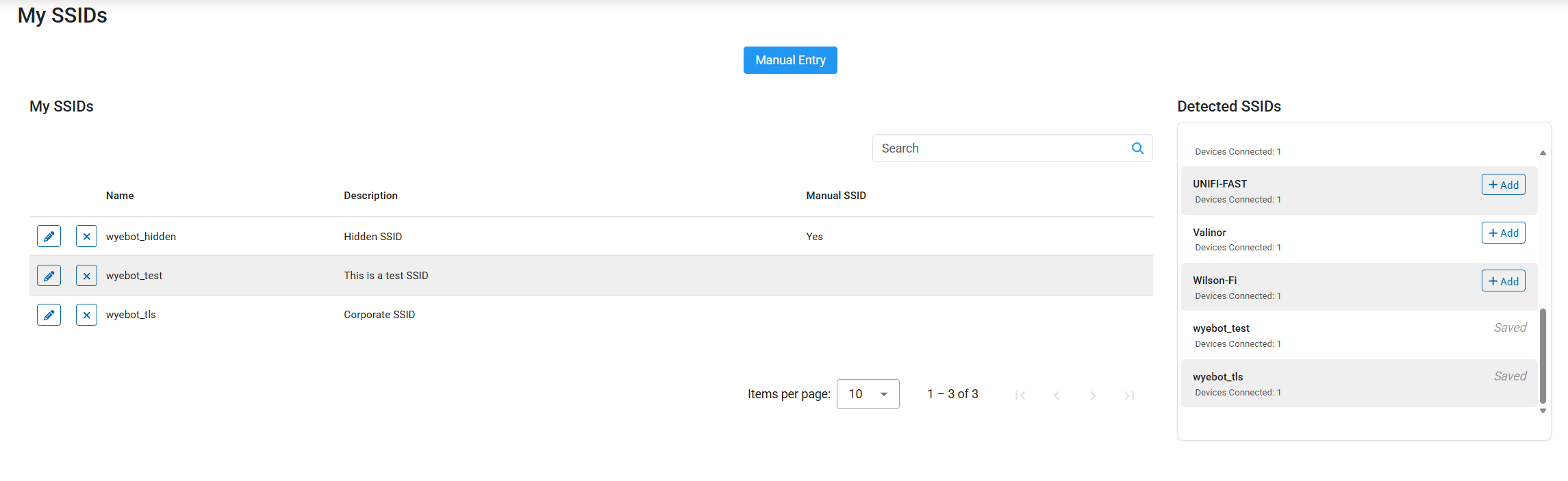
The My SSIDs page is where you will add any SSIDs you wish to tag as "Mine". It is accessed by clicking the My Networks tab on the sidebar.
¶ Detected SSIDs
The Detected SSIDs table lists all SSIDs detected by your DEX Agent clients. To add an SSID from this table, simply click the + Add button. Once the SSID is added, you may optionally click the pencil icon to add a description.
¶ Manual Entry
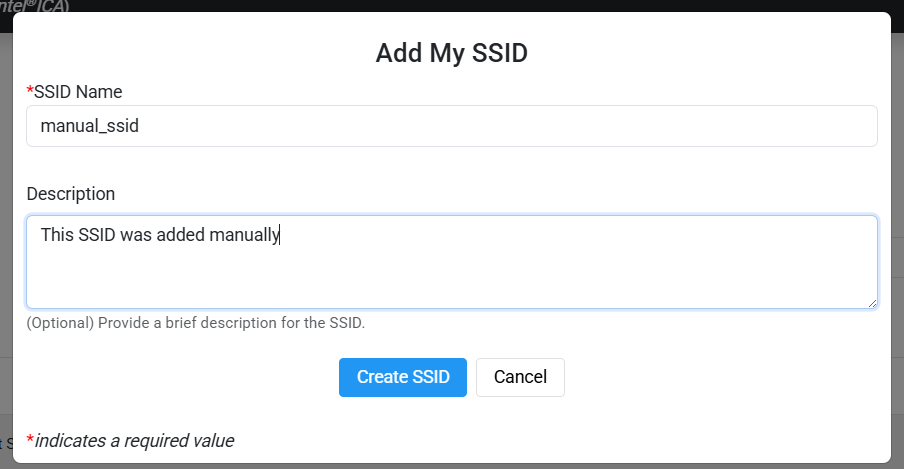
If an SSID you wish to add is not present in the Detected SSIDs table, you may use the Manual Entry button to add it. Simply add the SSID name, enter an optional description, and click Create SSID.
SSID names are case sensitive, so make sure the name you enter matches your desired SSID exactly.
¶ Network Test Configuration
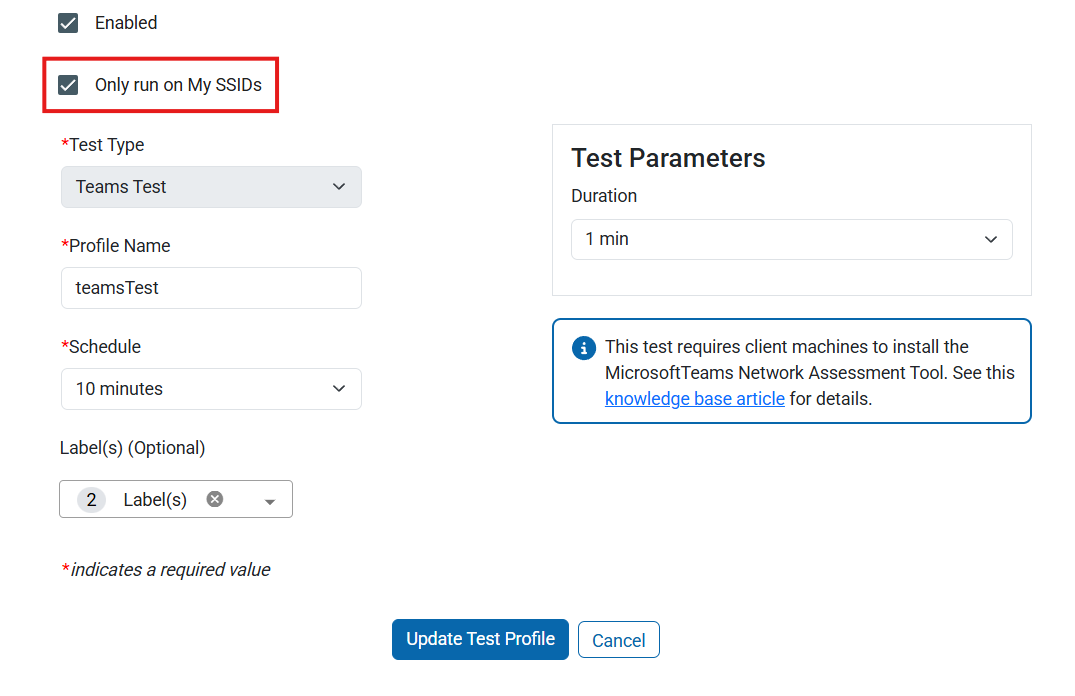
Once you have your SSIDs added on the My SSIDs page, you can configure Network Tests to run only on your SSIDs. To enable this option, simply click the Only run on My SSIDs checkbox when creating or editing a test profile.
With this option enabled, the test will only execute on it's configured interval when the DEX Agent software detects that they are connected to one of the SSIDs you had tagged.
Tests can still be executed on demand when viewing a device by clicking the "Run Now" play button. This will bypass the SSID restriction for that test execution.