¶ Introduction
This document explains how to locate and create users with read only access to the Wyebot dashboard.
¶ Read Only User
Beginning with software version 5.3, Wyebot is now providing the ability to create read only user access to the dashboard.
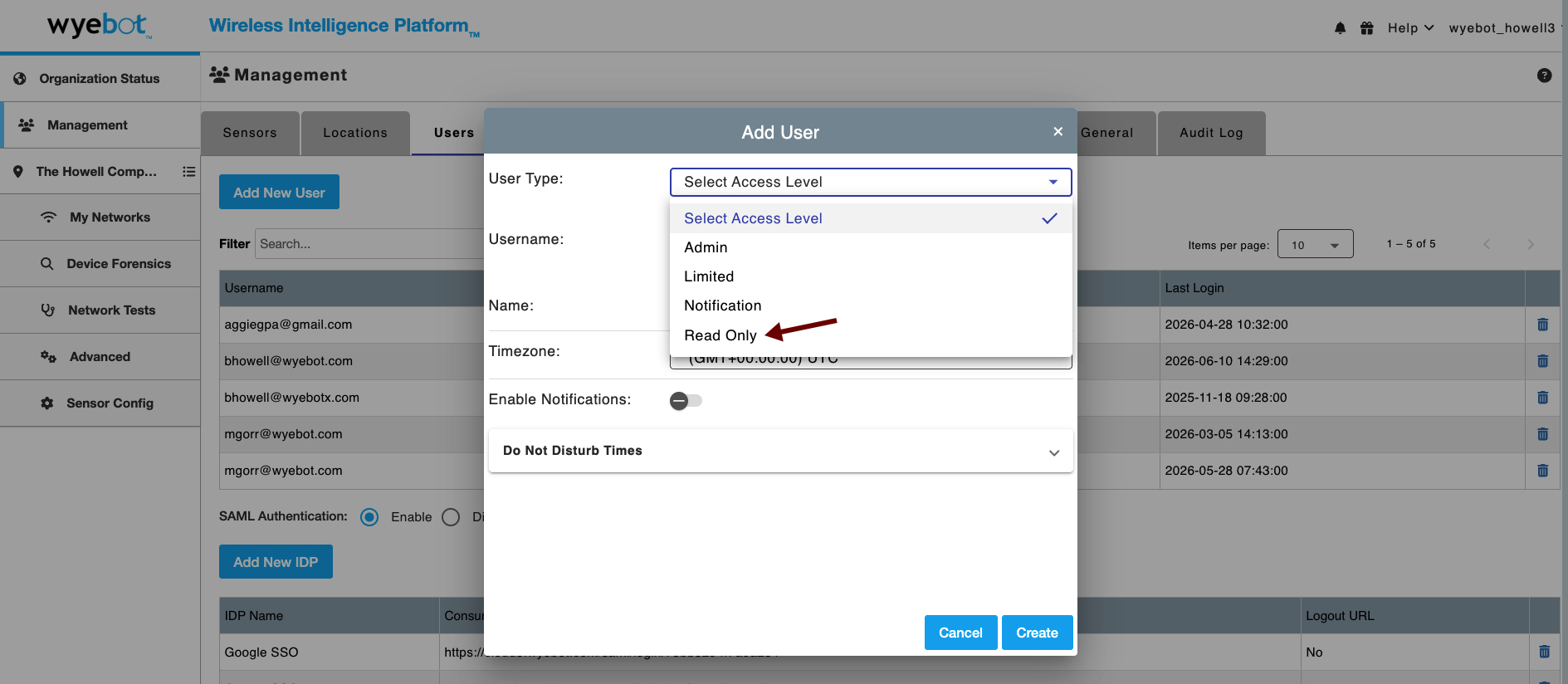
Read only user selection can be found in the Management -> Users page on the Wyebot dashboard as shown below. Utilize the drop down menu and select the Read Only option.
SAML support for read only users, can be found at SAML Read Only User Support.
¶ How does it work?
The design for read only implementation is such that the user is unable to edit/update settings. Thus, the settings screens will not include Apply/Update buttons.