¶ Introduction
This document describes how to configure Okta to support SAML SSO with the Wyebot cloud dashboard.
The Wyebot cloud dashboard supports IdP-initiated SAML SSO. This means the browser session starts at the IdP where the user logs in - not at the Wyebot cloud dashboard. After a successful authentication, the user’s browser session is redirected to the Wyebot dashboard where the session is validated and the user is granted access. The main benefit of SAML SSO is that user credentials are only stored locally in an organization’s infrastructure.
Limited users are currently not supported for SAML authentication.
On the Wyebot dashboard, user types of Admin, Read Only, and Limited are considered Local users. Password information for these users is stored locally in the Wyebot cloud database. SAML users are Non-Local users and no password information is stored locally for them.
¶ Terms Used in This Document
SAML - Security Assertion Markup Language is a standardized method of authenticating and redirecting browser sessions.
SSO - Single Sign-On allows a user to log into one site and reuse credentials across multiple other sites.
Identity Provider (IdP) - The device or provider that performs the authentication. In this example, the authentication is done by Active Directory.
Service Provider (SP) - The service that a user wishes to use. In this example, the SP is the Wyebot cloud dashboard.
SAML User - The user that is attempting to authenticate and access the SP. The user’s credentials are not stored on the SP, only on the IdP.
Consumer URL - The URL an IdP forwards a SAML request to following a successful authentication.
¶ Instructions
- Navigate to Applications on the top panel of your OneLogin admin dashboard.

- Click Add App on the top right of the Applications page.
- On the Find Applications page, search for SAML Custom Connector (Advanced). Select the result shown in the screenshot below:

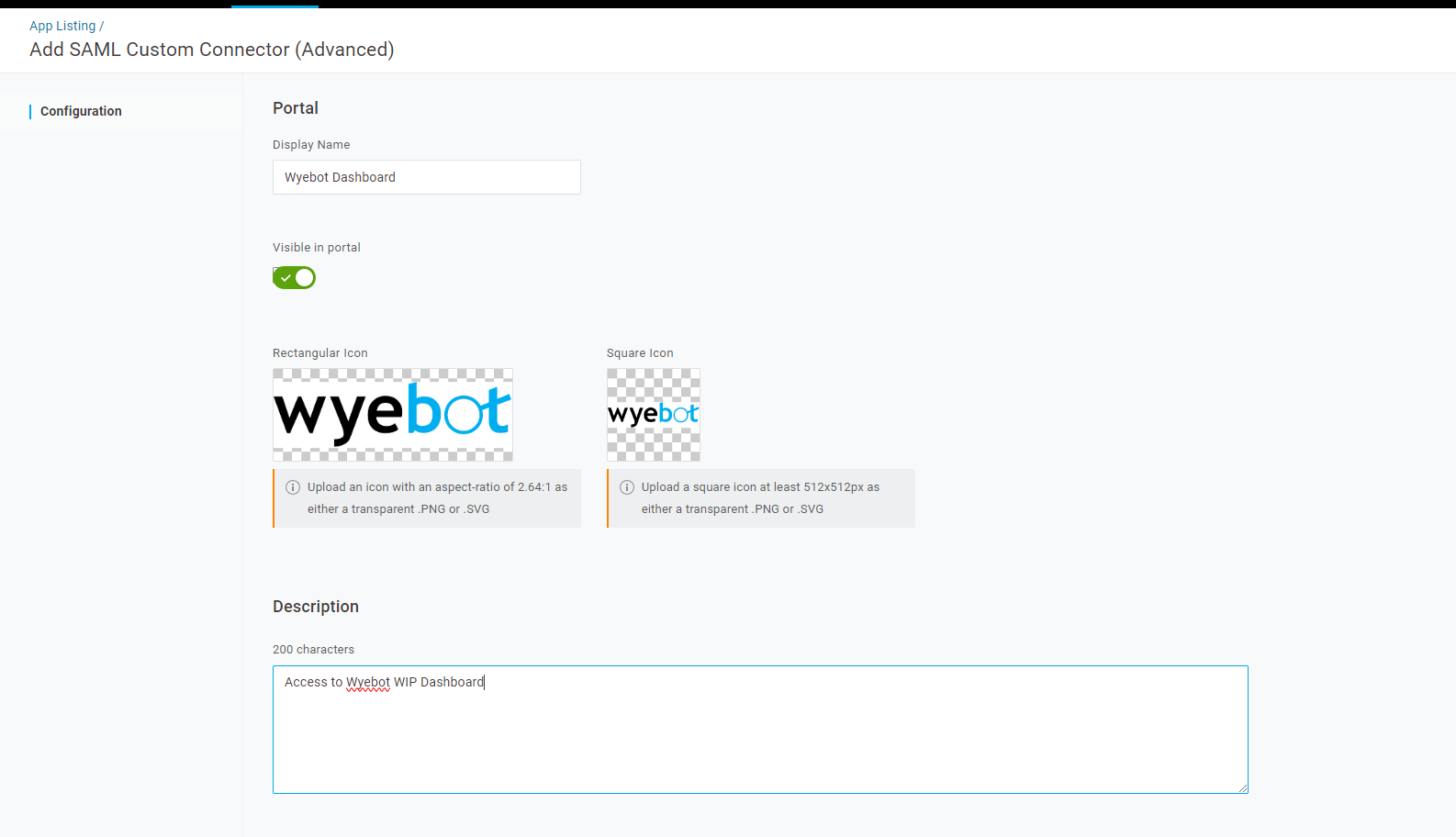
- Add a name for the SAML app. Optionally, upload display pictures and add a description. Once finished, click Save in the top right.
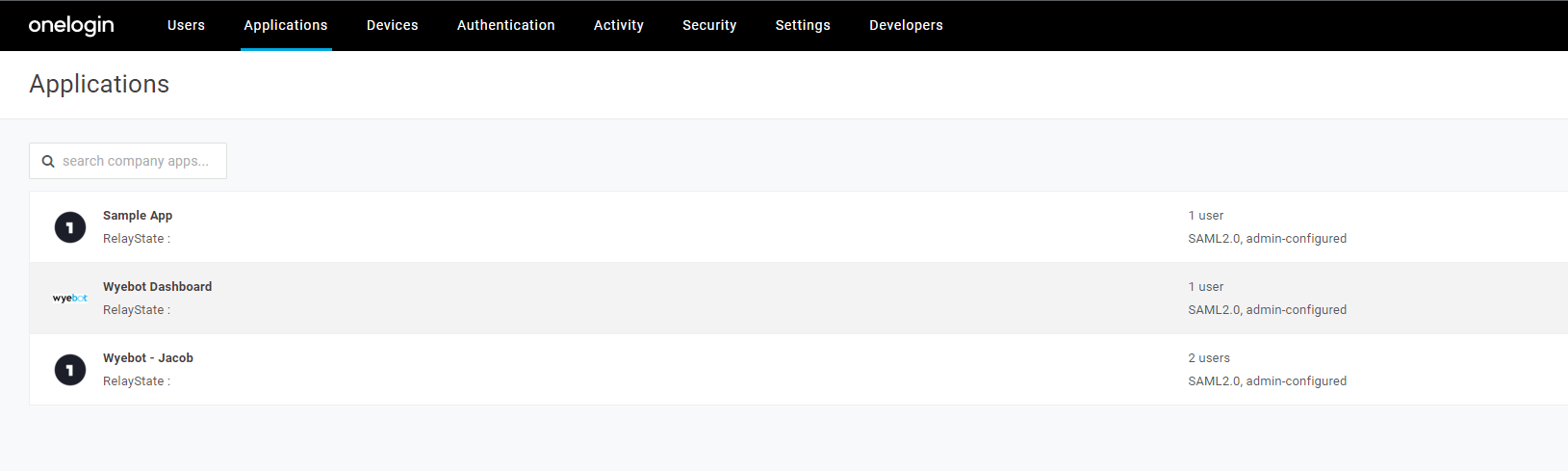
- Navigate back to the Applications page. Click on your Wyebot SAML App to continue configuration.
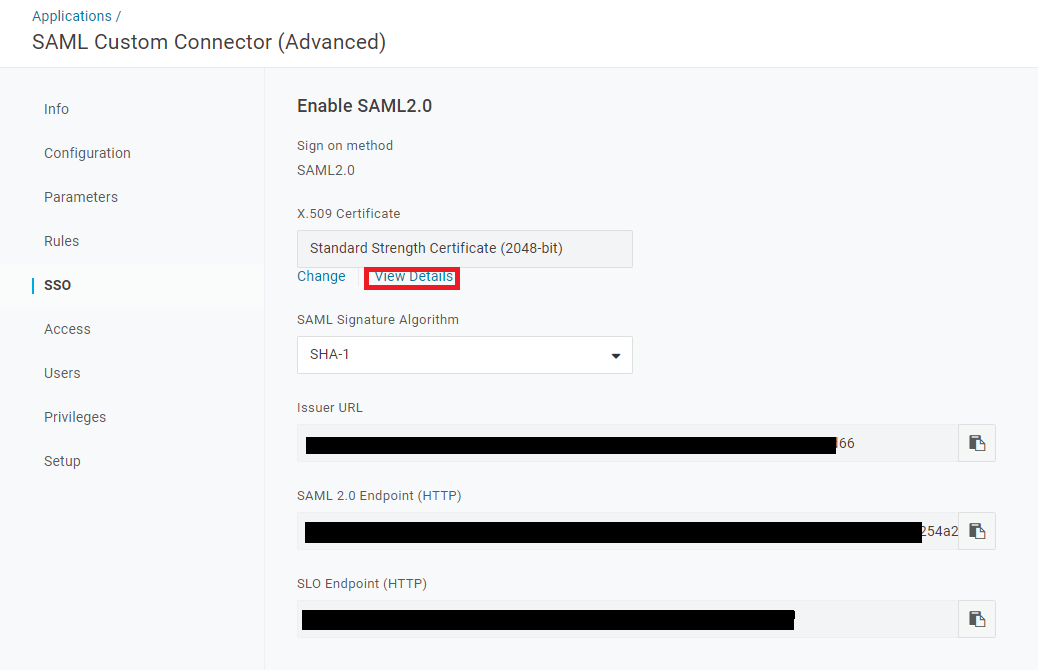
- Click on SSO. Under X.509 Certificate, click View Details.
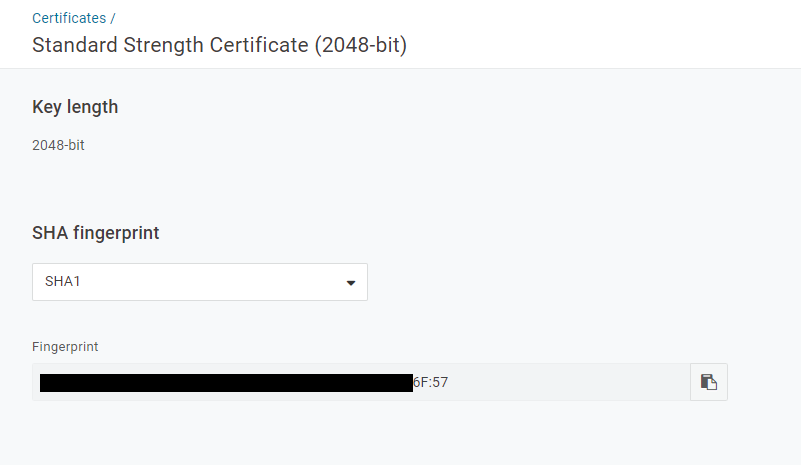
- Copy the SHA fingerprint. Keep it handy as it will be needed on the Wyebot dashboard. Both SHA1 and SHA256 are supported.
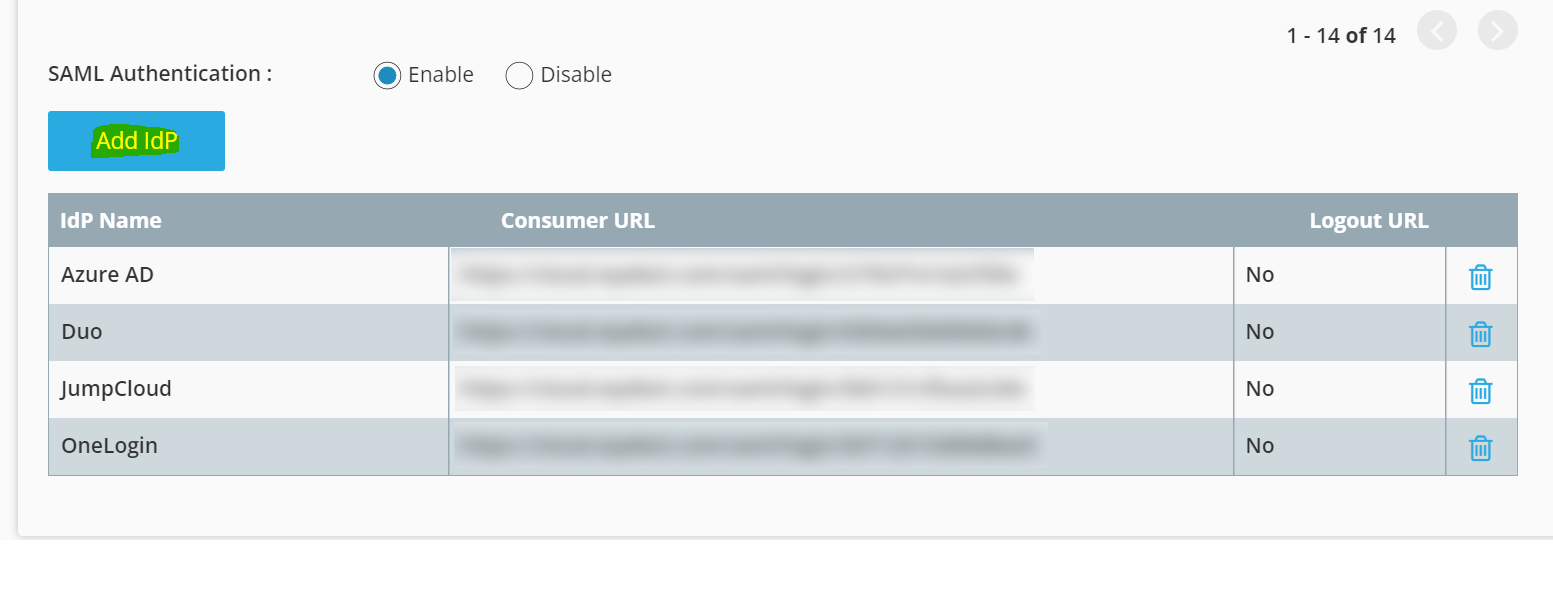
- In Wyebot, head to the Management > Users page, enable SAML Authentication, and click the blue Add IdP button.
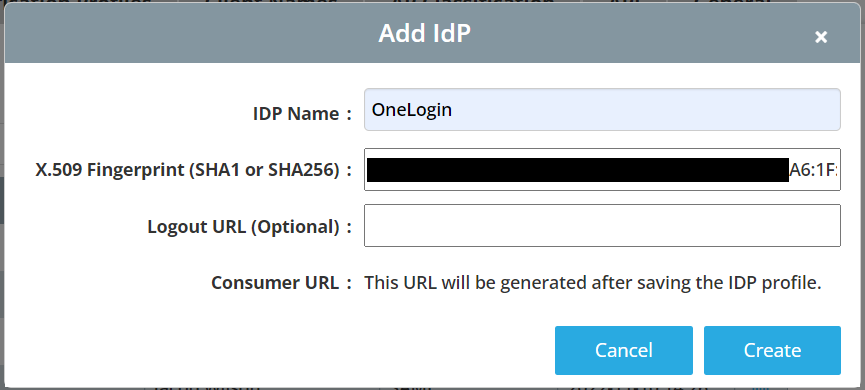
- Set the name according to preference and paste in the fingerprint you generated.
- Copy the consumer URL from Wyebot.
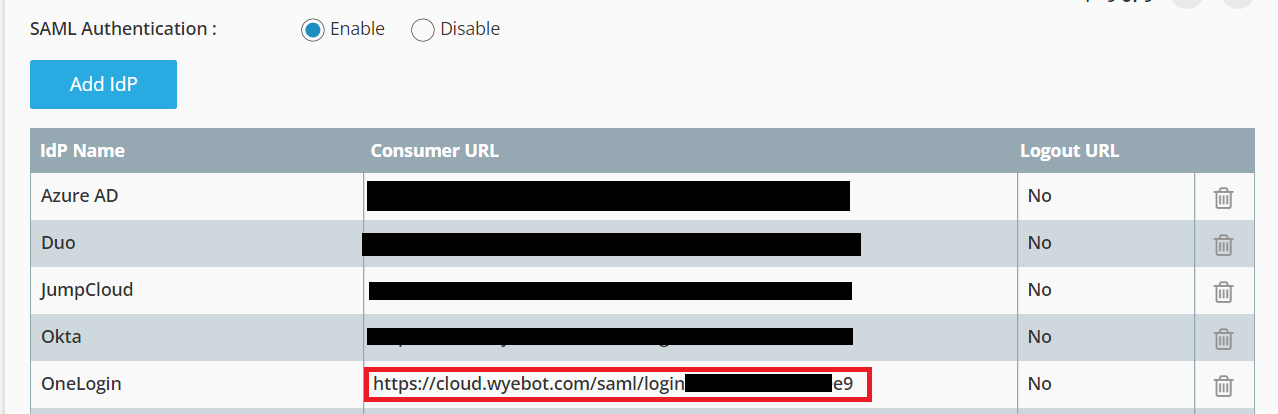
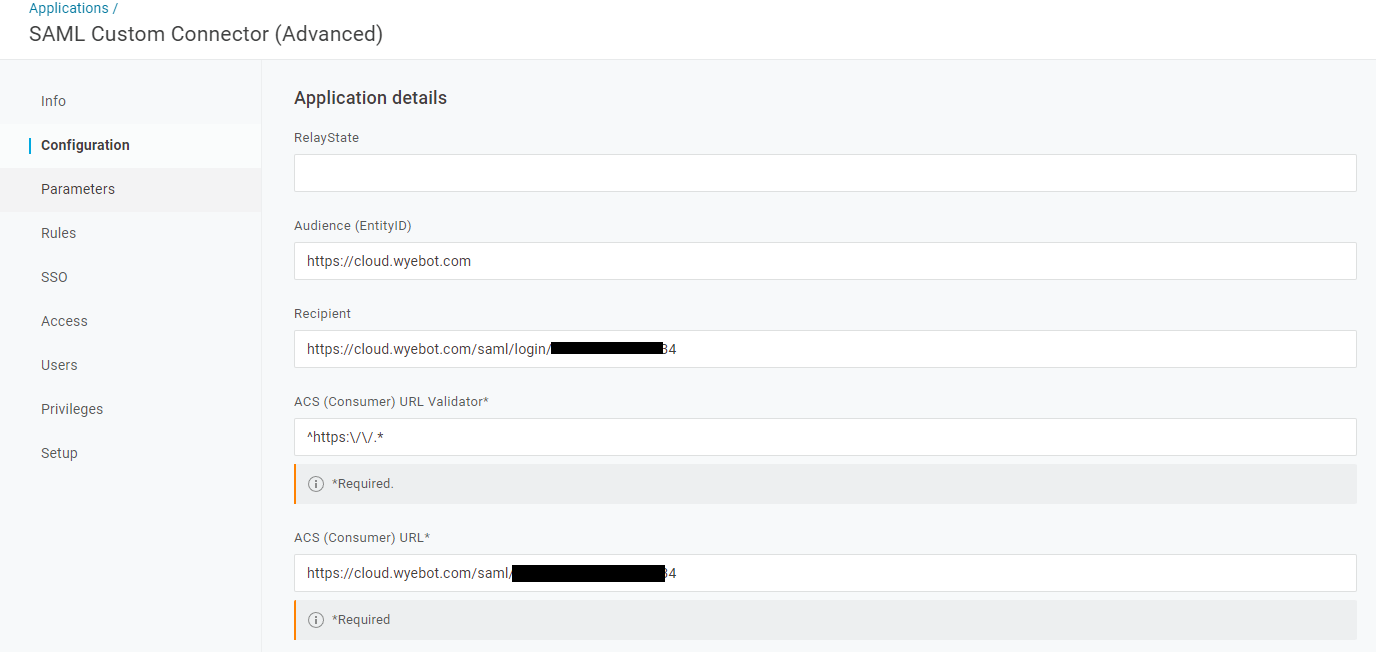
- Go back to the OneLogin dashboard and click on your Wyebot app. Click on Configuration. Fill out the following fields:
a. Audience (EntityID):https://cloud.wyebot.com
b. Both Recipient and ACS (Consumer) URL: Paste the consumer URL you copied from the Wyebot dashboard.
c. ACS (Consumer) URL Validator:^https:\/\/.*
-
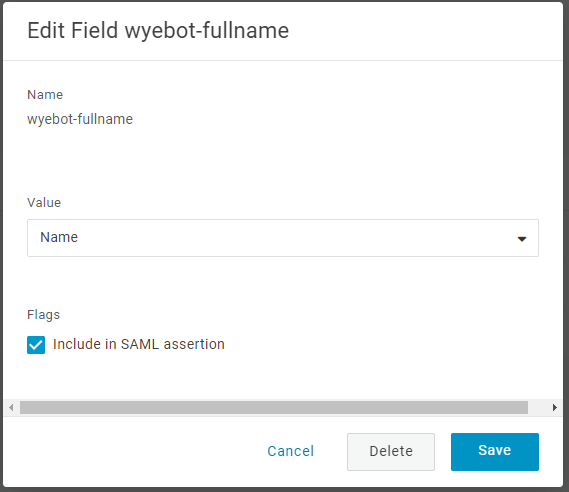
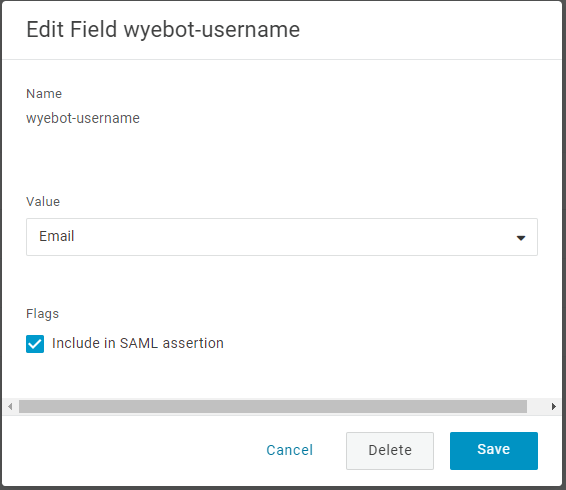
Click on Parameters. You will need to create two custom paramters by clicking the blue plus button on the top right corner of the table.
a. wyebot-fullname. Value set to Name. Click Checkbox for Include in SAML assertion.
b. wyebot-username. Value set to Email Click Checkbox for Include in SAML assertion.
-
Click Save once you are finished with these steps. The configuration is complete at this point. You can now give OneLogin users to the Wyebot dashboard.